QR Code
The testo 300 and the testo 330 and testo 320 can show a measurement as a QR code on the instrument display. Your software scans the code and takes over the measured values together with customer, measuring point and instrument data, without typing, cables, Bluetooth pairing or an internet connection.
Two QR code formats
The instrument shows the QR code in one of two formats. Which one is set on the instrument under QR code format. Support the format your users have set, or both.
| testo format | ZIV format | |
|---|---|---|
| Available | in all countries; the default | only in Germany, Austria, the Czech Republic and Slovakia, when selected in the settings |
| Content | the complete measurement: values, customer, measuring point, instrument, company, parameters | values, instrument, fuel, customer and measuring point in the numbered fields of the ZIV standard |
| Encoding | JSON, gzip-compressed, in the binary mode of the QR code | plain text, one field per line |
| Described in | the sections below up to Examples | ZIV QR Code |
The rest of this page up to the ZIV section is about the testo format.
sequenceDiagram
  participant U as Technician
  participant I as Instrument
  participant A as Your software
  U->>I: Carry out and save the measurement
  I->>U: Show QR code on the display
  U->>A: Scan the display with the camera
  A->>A: Binary QR -> decompress (gzip) -> one JSON per line -> values into the right record
No access or licence required
The format is documented here and the schemas are public on github.com/testo/tjf. There is no registration and no connection to testo: the data is completely contained in the QR code and is read offline by your software.
What the QR code contains
| Content | Details |
|---|---|
| Measured values | depend on the measurement, e.g. flue gas (flue gas and air temperature, dew point, O₂, CO₂, CO diluted/undiluted, NO, NO₂, NOx, λ, flue gas loss, efficiency), draught and pressure, smoke number and oil derivative, ambient CO/CO₂, boiler temperature, tightness / leakage rate, output, measurement duration |
| Units | as selected on the instrument, e.g. °C or °F, ppm or mg/m³ |
| Customer | name, address, contact person, phone, e-mail, reference number |
| Measuring point | name, system manufacturer, type, year of construction |
| Instrument | instrument type, serial number, last service date, probes used |
| Company | name and contact details of the company doing the work |
| Parameters | e.g. fuel and country setting |
Customer data
The QR code can contain personal data, e.g. of the customer, the contact person and the company doing
the work. Treat it like a measurement report.
Contact data may become optional in a future version (see Planned changes),
so do not make your integration depend on the customer and organisation objects.
How the QR code is built
A QR code holds at most about 3 KB, and a complete measurement as JSON text is usually much larger. The instrument therefore compresses the data:
- Each measurement is one JSON document in the testo JSON format (TJF).
- Several measurements are joined as JSON Lines: one document per line, separated by
\n. - The text (UTF-8) is compressed with gzip. gzip includes a CRC, so a misread code is detected.
- The compressed bytes are stored in the binary (byte) mode of the QR code.
If a measurement does not fit into one QR code, the instrument shows an error. There is no multi-part QR code.
Why the QR code is binary
Space. In the example below, three measurements take 15,757 bytes as JSON text, more than five times what a QR code can hold. Compressed with gzip they take 1,912 bytes. Uncompressed text would not fit, and a code close to its maximum size is too dense to scan reliably from a small display.
What this means for your app:
- The phone's camera app shows nothing useful. It recognises the code but expects text such as a link, so it shows garbled characters or nothing. That is expected; the code is not broken.
- Read the raw bytes. Your scanner must return the content as bytes. If it only returns a string, the library has already read the bytes as text. A string decoded as ISO-8859-1 (Latin-1) can be turned back into the original bytes; after UTF-8 or a guessed encoding the data is usually lost.
- Check the first bytes. The content always starts with
1F 8B(the gzip header). If it does not, the bytes were changed on the way, or the instrument shows the ZIV code, which is plain text. - Not encrypted. gzip only compresses. Anyone with a suitable reader can read the content, including the customer data.
- Compression cannot be switched off. The instrument always compresses; there is no setting for it.
Which format does my instrument send?
The envelope (binary QR, gzip, JSON Lines) is the same for all instruments. The JSON inside is not:
| testo 300 | testo 330 / testo 320 | |
|---|---|---|
| Schema | measurement-slim-v2.0.0.json |
slim-schema in the version named in $schema; nested measurements measurementCollection (all schemas) |
| Schema field | schema |
$schema |
timeStamp |
string, milliseconds since 1970-01-01 UTC | string, seconds since 1970-01-01 UTC |
Channel name type.name |
short label; older firmware in the instrument language ("Zug"), newer firmware English ("Draught") with the local label in type.description |
language-neutral quantity ("FlueDraught", "Oxygen"); the label is in type.description |
| Measurement type | type.name, translated ("Abgas") |
type.id, language-neutral ("T330Fluegas"); type.name is translated |
properties |
object ({"fuelName": "…", "o2Value": "3,0"}) |
array of {"name": …, "values": [{"value": …}]} |
| Same format as | — | JSON export and App to App of testo Smart |
Detect the format from the schema field and keep one parser per format:
schema = doc.get("$schema") or doc.get("schema", "")
is_testo300 = "measurement-slim-v2.0.0" in schema
Do not reuse a testo 300 parser unchanged
A testo 300 parser reads testo 330 timestamps as 1970 and does not know the channel names. See Migrating from testo 300.
Reading the QR code
| decode_testo_qr.py | |
|---|---|
1 2 3 4 5 6 7 8 9 10 11 12 13 14 15 16 17 18 19 20 21 22 23 24 25 26 27 28 29 30 31 32 33 34 35 36 37 38 39 40 41 42 43 44 45 46 47 48 49 50 51 52 53 54 55 56 57 58 59 60 | |
# For decode_testo_qr.py. pyzbar also needs the zbar library of the system:
# macOS: brew install zbar   Debian/Ubuntu: apt install libzbar0   Windows: see the pyzbar README
git+https://github.com/testo/pyzbar.git@master#egg=pyzbar  # patched: releases do not fully support binary QR codes
Pillow
Install with pip install -r requirements.txt. Both files: decode_testo_qr.py,
requirements.txt.
Output for the testo 330 example (excerpt):
== T330Fluegas (slim-schema-v1.4.0.json)
  FluegasTemperature               FT             34.1 °C          2026-11-17 10:26:16Z
  CalcCarbonDioxide                CO₂            3.67 %           2026-11-17 10:26:16Z
  Oxygen                           O₂             17.2 %           2026-11-17 10:26:16Z
  …
  LineTemperature                  Temperature    24.6 °C          2026-11-17 10:26:16Z
  LineTemperature                  Temperature    24.2 °C          2026-11-17 10:26:16Z
== T330Draught (slim-schema-v1.4.0.json)
  FluegasTemperature               FT             30.1 °C          2026-11-17 10:27:17Z
  FlueDraught                      Draught        0.033 mbar       2026-11-17 10:27:17Z
== DeltaTClimateApplication (slim-schema-v1.4.0.json)
  DeltaT                           ΔT             2.3 K            2026-11-17 10:28:47Z
  …
To inspect raw bytes you already read from a code:
gzip -dc example-t330.bin | head -c 400
Data format testo 330 / 320
One document per measurement. $schema names the schema and its version; validate against that one
(schemas: github.com/testo/tjf). Excerpt of the first measurement of the
example, a flue gas measurement with Smart Probes connected (one of them shown):
{
  "$schema": "https://github.com/testo/tjf/raw/public/schema/slim-schema-v1.4.0.json",
  "type": { "id": "T330Fluegas", "name": "Flue gas" },
  "timeStamp": "1794911181",
  "device": [
    { "name": "testo 115i", "partNumber": "0560 1115", "serial": "46999293", "firmwareVersion": "2.4.17",
      "measTypes": ["LineTemperature"] },
    { "name": "testo 320", "partNumber": "0633 3200", "serial": "65409720", "firmwareVersion": "1.0.24",
      "measTypes": ["Oxygen", "CarbonMonoxide", "AmbientTemperatureFix", "FluegasTemperature", "FlueDraught", "…"] }
  ],
  "channels": [
    {
      "type": { "name": "Oxygen", "description": "O₂" },
      "unit": { "name": "%" },
      "values": [ { "timeStamp": "1794911176", "value": 17.2 } ],
      "additionalData": [
        { "name": "measType", "value": "Oxygen" },
        { "name": "displayUnit", "value": "%" },
        { "name": "serial", "value": "65409720" },
        { "name": "description", "value": "Oxygen" },
        { "name": "mainChannel", "value": false }
      ],
      "alarmData": [ { "upperAlarm": { "unit": "%", "value": 20.0 } } ]
    },
    {
      "type": { "name": "LineTemperature", "description": "Temperature" },
      "unit": { "name": "°C" },
      "values": [ { "timeStamp": "1794911176", "value": 24.6 } ],
      "additionalData": [ { "name": "serial", "value": "46999293" }, "…" ]
    }
  ],
  "properties": [
    { "name": "CurrentFuelName", "values": [ { "value": "Wood 15%w" } ] },
    { "name": "O2Ref", "values": [ { "value": "13.0" } ] }
  ],
  "organisation": { "name": "", "street": "", "city": "", "…": "" },
  "additionalMeasurementInformation": [
    { "name": "appVersion", "value": "34.0.3" },
    { "name": "startTime", "value": 1794911176221, "description": "utc timestamp in milliseconds" }
  ]
}
In the example no customer was selected: customer and measuringPoint are missing, and organisation
is present with empty strings.
| Field | Meaning |
|---|---|
type.id |
Measurement program, language-neutral. Use this to decide what the measurement is. |
type.name |
Program name in the instrument language. For display only. |
channels[].type.name |
Measured quantity, language-neutral (e.g. Oxygen, FlueDraught, CalcAirRatio). Use this to map values. |
channels[].type.description |
Label as shown on the instrument, in the instrument language. For display only. |
channels[].unit.name |
Unit selected on the instrument; the value is converted to it and rounded to the displayed precision. |
channels[].additionalData |
serial = serial number of the instrument or probe that measured the channel (matches device[].serial), measType, displayUnit, mainChannel. |
channels[].values[] |
One value per channel: the last reading, or the mean if the measurement has a mean row (then with description). |
values[].status |
invalid, overrange, underrange or empty. If status is present, ignore value (for empty it is 0.0). |
device[] |
Instrument and connected probes: name, partNumber, serial, firmwareVersion, measTypes. |
properties[] |
Parameters such as fuel, O₂ reference, connected flue gas probe. |
appendix |
Extra results of special programs, e.g. smokeNumber. |
additionalMeasurementInformation[] |
measurementuuid, appVersion, note, startTime, endTime. startTime/endTime are in milliseconds, unlike timeStamp. |
$schema |
URL of the schema, including its version: slim-schema-v….json, or measurementCollection-v….json for a measurement that contains sub-measurements. |
Only channels that are visible on the instrument are included.
Examples
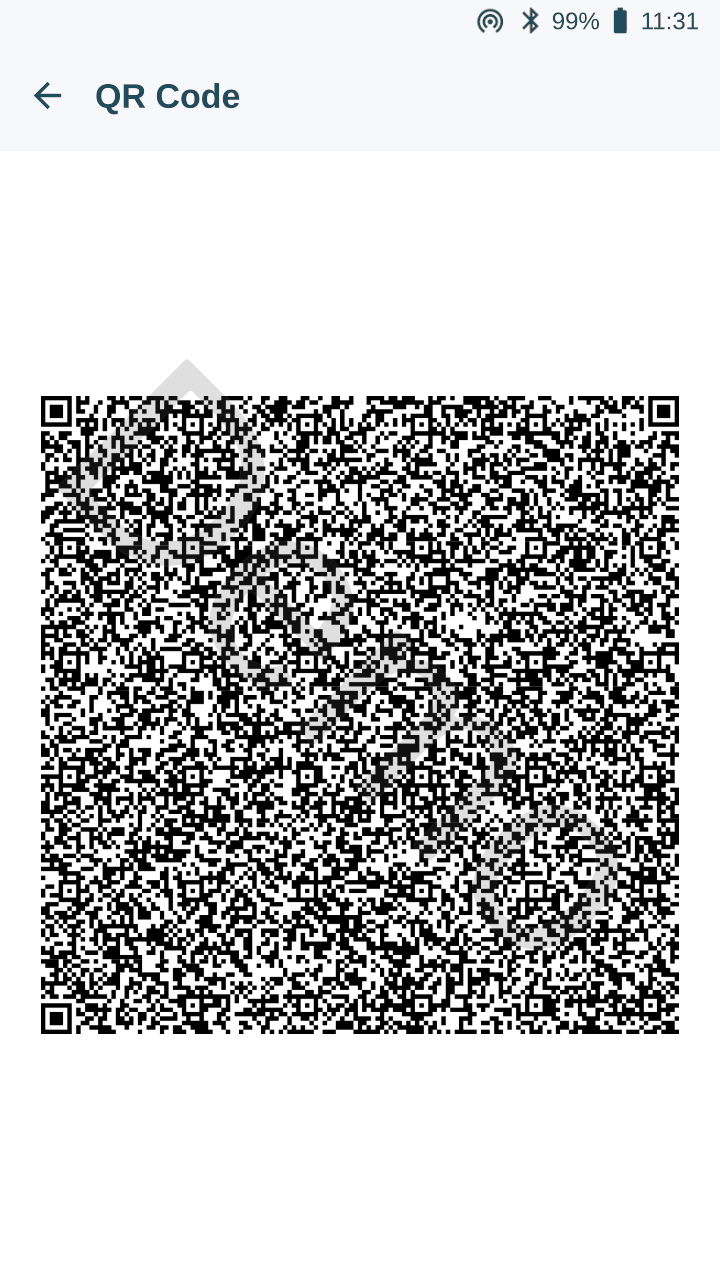
Screenshot of the display of a testo 320 (software 34.0.3); the testo 330 shows the same. Scan it from the screen to test your reader. The code holds three measurements, one JSON document per line:
| Line | type.id |
Channels | Instruments in device[] |
|---|---|---|---|
| 1 | T330Fluegas |
15: flue gas values plus differential pressure and two line temperatures | testo 320, testo 510i, 2 × testo 115i |
| 2 | T330Draught |
2: flue gas temperature, draught | testo 320 |
| 3 | DeltaTClimateApplication |
11: ΔT, temperatures, humidity, dew point, wet bulb | testo 320, testo 605i, testo 510i, 2 × testo 115i |
The two LineTemperature channels come from two testo 115i clamp thermometers. Only the serial in
additionalData tells them apart.
- Bytes read from the QR code (1,912 bytes): example-t330.bin
- Decompressed JSON (three lines, 15,757 bytes): example-t330.json
ZIV QR Code (DE, AT, CZ, SK)
In Germany, Austria, the Czech Republic and Slovakia the instruments can show a QR code following the ZIV standard for measuring instruments instead. On the testo 330/320 the format is selected in the settings (QR code format). The ZIV code is plain text, not compressed. An ordinary QR reader returns it as a string; no gzip and no JSON.
Structure
One field per line: <ID><flag><value>.
G= valid value,N= no valid value (the value is then----).5G<n>starts section n. A section without data appears as the bare marker.20Gends a measurement. Several measurements follow one another in the same code.
| Marker | Section | In the example |
|---|---|---|
1G2, 3G1, 4G1 |
header: protocol version 2, 1 QR code in total, this is code 1 | yes |
5G1 |
instrument: manufacturer (100), type (101), serial number (102), certifications (103), properties (104), instrument ID (107) | yes |
5G2 |
customer | empty |
5G3 |
fireplace / measuring point | empty |
5G4 |
boiler | empty |
5G5 |
fuel: name (31), fuel ID (32), CO₂max (33), aggregate state (34: 1 liquid, 2 gas, 3 solid biogenic, 4 solid fossil), O₂ reference (36), air requirement (162), dry flue gas volume (163) | yes |
5G6 |
tester / company | empty |
5G7 |
oil and gas measurement (also used for ΔT and draught) | yes |
5G8 |
solid fuel measurement | yes |
5G9 |
4 Pa / 8 Pa test | no |
Example
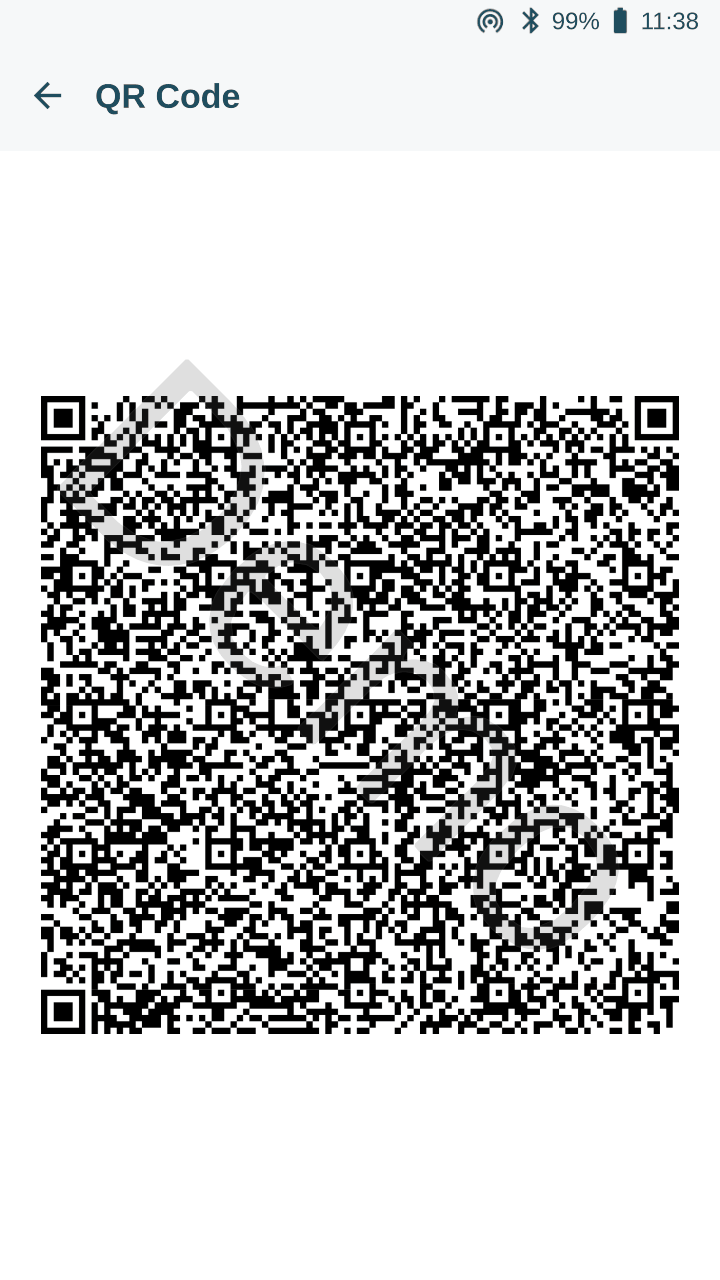
The same three measurements as the testo JSON example (flue gas with wood, draught, ΔT), shown with QR code format set to ZIV. Software 34.0.3, no customer data. Content as text: example-ziv.txt (900 bytes).
1G2                                  protocol version 2
3G1                                  1 QR code in total
4G1                                  this is QR code 1
5G1                                  section 1: instrument
100GTesto SE & Co. KGaA              manufacturer
101Gtesto 320                        type
102G65409720                         serial number
103GVDI 4206, DIN EN 50379-1         certifications
104GPROP_SINGLE PROP_INSTRUMENT_ID   properties
107GTT2565409720NEU0626              instrument ID
5G2                                  section 2: customer (empty)
5G3                                  section 3: fireplace (empty)
5G4                                  section 4: boiler (empty)
5G5                                  section 5: fuel
31GWood 15%w                         fuel name
32G13                                fuel ID
34G3                                 aggregate state: solid, biogenic
33G20.3                              CO₂max in %
36G13                                O₂ reference in %
162G3.93                             air requirement
163G3.87                             dry flue gas volume
5G6                                  section 6: tester (empty)
5G8                                  section 8: solid fuel measurement
23G20261117                          date (YYYYMMDD)
22G11:26                             time (local)
36G13.0                              O₂ reference in %
41G34.1                              flue gas temperature in °C
52G3.67                              CO₂ in %
90G0.0                               flue gas loss in %
92G5.53                              λ
50G17.2                              O₂ in %
91G98.4                              efficiency in %
69G1                                 CO in ppm
81G0.001                             draught in hPa (= mbar)
70G6                                 CO undiluted in ppm
93G34.1                              dew point in °C
40G25.5                              combustion air temperature in °C
701G-0.07                            differential pressure in mbar (testo ID)
20G                                  end of measurement
IDs
The IDs are the same as for the testo 300. The table is the one from the testo 300 QR code page, included here unchanged.
CO in ppm
In the example the testo 320 sends CO in ppm as 69G1; the table below lists 79 for
CO_Dil / UNIT_PPM. Accept both.
| XML ID | Unit | QR Code ID | Comment |
|---|---|---|---|
| T_Flue | UNIT_DEG_C | 41 | AT |
| T_Air | UNIT_DEG_C | 40 | VT |
| T_Dew | UNIT_DEG_C | 93 | Dew Pt |
| T_Dew | UNIT_DEG_C_DEWPOINT | 93 | Dew Pt |
| AT_Mean | UNIT_DEG_C | 212 | ATØ |
| VT_Mean | UNIT_DEG_C | 211 | VTØ |
| P_Draft | UNIT_PA | 80 | Draught |
| P_Draft | UNIT_HPA | 81 | Draught |
| P_Draft | UNIT_MBAR | 81 | Draught |
| CO_Dil | UNIT_PPM | 79 | CO |
| CO_Dil | UNIT_MG_M3 | 71 | CO |
| CO_Norm | UNIT_PPM | 70 | uCO |
| CO_Norm | UNIT_MG_M3 | 72 | uCO |
| CO_Norm | UNIT_MG_KWH | 73 | uCO |
| NO_Dil | UNIT_PPM | 57 | NO |
| NO_Dil | UNIT_MG_M3 | 59 | NO |
| NO2 | UNIT_PPM | 61 | NO2 |
| NO2 | UNIT_MG_M3 | 63 | NO2 |
| CO2 | UNIT_PERCENT | 52 | CO2 |
| O2 | UNIT_PERCENT | 50 | O2 |
| O2Supply | UNIT_PERCENT | 240 | O2ref. |
| O2_Ring | UNIT_PERCENT | 230 | O2air |
| O2_Average | UNIT_PERCENT | 210 | O2Ø |
| OEM | UNIT_PERCENT | 242 | OEM |
| NOx | UNIT_PPM | 200 | NOx |
| NOx | UNIT_MG_M3 | 201 | NOx |
| QAnet | UNIT_PERCENT | 90 | qAnet |
| QAgr | UNIT_PERCENT | 90 | qAgr. |
| Efficiency | UNIT_PERCENT | 91 | Effn |
| Effg | UNIT_PERCENT | 91 | Effg |
| QAAverage | UNIT_PERCENT | 213 | qAØ |
| Lambda | UNIT_NONE | 92 | λ |
| T_Boiler | UNIT_DEG_C | 42 | HCT |
| Soot_1 | UNIT_NONE | 82 | Smoke 1 |
| OilDeriv | UNIT_NONE | 84 | Oil depos. |
| Soot_2 | UNIT_NONE | 82 | Smoke 2 |
| Soot_3 | UNIT_NONE | 82 | Smoke 3 |
| SootAvg | UNIT_NONE | 83 | Smoke Ø |
| Time | UNIT_SECOND | 241 | Act.Test time |
| MeasDuration | UNIT_SECOND | 241 | Test time |
| AT_Mean_44B | UNIT_DEG_C | 212 | ATØ |
| VT_Mean_44B | UNIT_DEG_C | 211 | VTØ |
| QAAverage_44B | UNIT_PERCENT | 267 | qAØ |
| Time_44B | UNIT_SECOND | 241 | Act.Test time |
| MeasDuration_44B | UNIT_SECOND | 241 | Test time |
| OB_44B | UNIT_PERCENT | 240 | OB |
| O2_44B | UNIT_PERCENT | 242 | O2 |
| OEM_44B | UNIT_PERCENT | 242 | OEM |
| Lambda_44B | UNIT_NONE | 243 | λ |
| CO2_44B | UNIT_PERCENT | 244 | CO2 |
| CO_Dil_44B | UNIT_PPM | 245 | CO |
| CO_Dil_44B | UNIT_MG_M3 | 246 | CO |
| Eco B_44B | UNIT_MG_M3 | 246 | Eco,B |
| Uco B_44B | UNIT_MG_M3 | 247 | Uco,B |
| UNOx B_44B | UNIT_MG_M3 | 256 | UNOx,B |
| ENOx B_44B | UNIT_MG_M3 | 255 | ENOx,B |
| UNOx B_44B | UNIT_PERCENT | 256 | UNOx,B |
| P_Draft_44B | UNIT_PA | 80 | Draught |
| CO_Norm_44B | UNIT_PPM | 246 | uCO |
| NO_Dil_44B | UNIT_PPM | 250 | NO |
| Efficiency_44B | UNIT_PERCENT | 268 | Effn |
| Effg_44B | UNIT_PERCENT | 268 | Effg |
| Delta_t | UNIT_DEG_C | 500 | ΔT |
| Delta_t | UNIT_DELTA_T | 500 | ΔT |
| Delta_t | UNIT_DEG_F | 501 | ΔT |
| T_Flue | UNIT_DEG_F | 502 | AT |
| T_Air | UNIT_DEG_F | 503 | VT |
| T_Dew | UNIT_DEG_F | 504 | Dew Pt |
| T_Dew | UNIT_DEG_F_DEWPOINT | 505 | Dew Pt |
| AT_Mean | UNIT_DEG_F | 506 | ATØ |
| VT_Mean | UNIT_DEG_F | 507 | VTØ |
| T1 | UNIT_DEG_C | 508 | T1 |
| T2 | UNIT_DEG_C | 509 | T2 |
| GT | UNIT_DEG_C | 510 | Itemp |
| T_Ambient | UNIT_DEG_C | 511 | Ambient Temp |
| T1 | UNIT_DEG_F | 512 | T1 |
| T2 | UNIT_DEG_F | 513 | T2 |
| GT | UNIT_DEG_F | 514 | Itemp |
| T_Ambient | UNIT_DEG_F | 515 | Ambient Temp |
| PumpFlow | UNIT_L_PER_MIN | 516 | Pump |
| CO_Dil | UNIT_PERCENT | 530 | CO |
| CO_Dil | UNIT_G_PER_GJ | 531 | CO |
| CO_Dil | UNIT_MG_KWH | 532 | CO |
| CO_Dil | UNIT_LBS_PER_MBTU | 533 | CO |
| CO_Dil | UNIT_G_PER_HORSEPOWER_HOUR | 534 | CO |
| CO_Norm | UNIT_PERCENT | 535 | uCO |
| CO_Norm | UNIT_G_PER_GJ | 536 | uCO |
| CO_Norm | UNIT_LBS_PER_MBTU | 537 | uCO |
| CO_Norm | UNIT_G_PER_HORSEPOWER_HOUR | 538 | uCO |
| NO_Dil | UNIT_PERCENT | 540 | NO |
| NO_Dil | UNIT_G_PER_GJ | 541 | NO |
| NO_Dil | UNIT_MG_KWH | 542 | NO |
| NO_Dil | UNIT_LBS_PER_MBTU | 543 | NO |
| NO_Dil | UNIT_G_PER_HORSEPOWER_HOUR | 544 | NO |
| NO2 | UNIT_PERCENT | 545 | NO2 |
| NO2 | UNIT_G_PER_GJ | 546 | NO2 |
| NO2 | UNIT_MG_KWH | 547 | NO2 |
| NO2 | UNIT_LBS_PER_MBTU | 548 | NO2 |
| NO2 | UNIT_G_PER_HORSEPOWER_HOUR | 549 | NO2 |
| NOx | UNIT_PERCENT | 550 | NOx |
| NOx | UNIT_G_PER_GJ | 551 | NOx |
| NOx | UNIT_MG_KWH | 552 | NOx |
| NOx | UNIT_LBS_PER_MBTU | 553 | NOx |
| NOx | UNIT_G_PER_HORSEPOWER_HOUR | 554 | NOx |
| ENOx B | NIT_PERCENT | 570 | ENOx,B |
| ENOx B | NIT_PPM | 571 | ENOx,B |
| ENOx B | NIT_MG_M3 | 572 | ENOx,B |
| ENOx B | NIT_G_PER_GJ | 573 | ENOx,B |
| ENOx B | NIT_MG_KWH | 574 | ENOx,B |
| ENOx B | NIT_LBS_PER_MBTU | 575 | ENOx,B |
| UA | NIT_PERCENT | 580 | UA |
| UA_44B | NIT_PERCENT | 580 | UA |
| UA | NIT_PPM | 581 | UA |
| UA | NIT_MG_M3 | 582 | UA |
| UA | NIT_G_PER_GJ | 583 | UA |
| UA | NIT_MG_KWH | 584 | UA |
| UA | NIT_LBS_PER_MBTU | 585 | UA |
| Eco B | NIT_PERCENT | 590 | Eco,B |
| Eco B | NIT_PPM | 591 | Eco,B |
| Eco B | NIT_MG_M3 | 592 | Eco,B |
| Eco B | NIT_G_PER_GJ | 593 | Eco,B |
| Eco B | NIT_MG_KWH | 594 | Eco,B |
| Eco B | NIT_LBS_PER_MBTU | 595 | Eco,B |
| OEM | NIT_PERCENT | 600 | OEM |
| OEM | NIT_PPM | 601 | OEM |
| OEM | NIT_MG_M3 | 602 | OEM |
| OEM | NIT_G_PER_GJ | 603 | OEM |
| OEM | NIT_MG_KWH | 604 | OEM |
| OEM | NIT_LBS_PER_MBTU | 605 | OEM |
| Uco B | NIT_PERCENT | 610 | Uco,B |
| Uco B | NIT_PPM | 611 | Uco,B |
| Uco B | NIT_MG_M3 | 612 | Uco,B |
| Uco B | NIT_G_PER_GJ | 613 | Uco,B |
| Uco B | NIT_MG_KWH | 614 | Uco,B |
| Uco B | NIT_LBS_PER_MBTU | 615 | Uco,B |
| UNOx B | NIT_PERCENT | 620 | UNOx,B |
| UNOx B | NIT_PPM | 621 | UNOx,B |
| UNOx B | NIT_MG_M3 | 622 | UNOx,B |
| UNOx B | NIT_G_PER_GJ | 623 | UNOx,B |
| UNOx B | NIT_MG_KWH | 624 | UNOx,B |
| UNOx B | NIT_LBS_PER_MBTU | 625 | UNOx,B |
| CO_Amb | UNIT_PERCENT | 630 | AmbCO |
| CO_Amb | UNIT_PPM | 631 | AmbCO |
| CO2Amb | UNIT_PERCENT | 632 | AmbCO2 |
| CO2Amb | UNIT_PPM | 633 | AmbCO2 |
| OB | NIT_PERCENT | 640 | OB |
| OB | NIT_PPM | 641 | OB |
| OB | NIT_MG_M3 | 642 | OB |
| OB | NIT_G_PER_GJ | 643 | OB |
| OB | NIT_MG_KWH | 644 | OB |
| OB | NIT_LBS_PER_MBTU | 645 | OB |
| Aco B | NIT_PERCENT | 650 | Aco,B |
| Aco B | NIT_MG_M3 | 651 | Aco,B |
| Aco B | NIT_PPM | 652 | Aco,B |
| Aco B | NIT_G_PER_GJ | 653 | Aco,B |
| Aco B | NIT_MG_KWH | 654 | Aco,B |
| Aco B | NIT_LBS_PER_MBTU | 655 | Aco,B |
| ANOx B | NIT_PERCENT | 660 | ANOx,B |
| ANOx B | NIT_PPM | 661 | ANOx,B |
| ANOx B | NIT_MG_M3 | 662 | ANOx,B |
| ANOx B | NIT_G_PER_GJ | 663 | ANOx,B |
| ANOx B | NIT_MG_KWH | 664 | ANOx,B |
| ANOx B | NIT_LBS_PER_MBTU | 665 | ANOx,B |
| Delta_P | UNIT_PA | 700 | Δp |
| Delta_P | UNIT_MBAR | 701 | Δp |
| Delta_P | UNIT_PSI | 702 | Δp |
| Delta_P | UNIT_HPA | 703 | Δp |
| Delta_P | UNIT_INH2O | 704 | Δp |
| Delta_P | UNIT_INHG | 705 | Δp |
| Delta_P | UNIT_MMH2O | 706 | Δp |
| DeltaPmin4Pa | UNIT_PA | 717 | Δp min |
| DeltaPmax4Pa | UNIT_PA | 718 | Δp max |
| Ext4Pa | UNIT_PA | 719 | Ext-4Pa |
| PStat | UNIT_MBAR | 720 | ΔP stat |
| PStat | UNIT_PA | 721 | ΔP stat |
| PStat | UNIT_PSI | 722 | ΔP stat |
| PStat | UNIT_HPA | 723 | ΔP stat |
| PStat | UNIT_INH2O | 724 | ΔP stat |
| PStat | UNIT_INHG | 725 | ΔP stat |
| PStat | UNIT_MMH2O | 726 | ΔP stat |
| PDyn | UNIT_MBAR | 730 | ΔP dyn |
| PDyn | UNIT_PA | 731 | ΔP dyn |
| PDyn | UNIT_PSI | 732 | ΔP dyn |
| PDyn | UNIT_HPA | 733 | ΔP dyn |
| PDyn | UNIT_INH2O | 734 | ΔP dyn |
| PDyn | UNIT_INHG | 735 | ΔP dyn |
| PDyn | UNIT_MMH2O | 736 | ΔP dyn |
| P1 | UNIT_MBAR | 740 | Press P1 |
| P1 | UNIT_PA | 741 | Press P1 |
| P1 | UNIT_PSI | 742 | Press P1 |
| P1 | UNIT_HPA | 743 | Press P1 |
| P1 | UNIT_INH2O | 744 | Press P1 |
| P1 | UNIT_INHG | 745 | Press P1 |
| P1 | UNIT_MMH2O | 746 | Press P1 |
| P2 | UNIT_MBAR | 750 | Press P2 |
| P2 | UNIT_PA | 751 | Press P2 |
| P2 | UNIT_PSI | 752 | Press P2 |
| P2 | UNIT_HPA | 753 | Press P2 |
| P2 | UNIT_INH2O | 754 | Press P2 |
| P2 | UNIT_INHG | 755 | Press P2 |
| P2 | UNIT_MMH2O | 756 | Press P2 |
| P_Dynamic | UNIT_MBAR | 780 | D P |
| P_Dynamic | UNIT_PA | 781 | D P |
| P_Dynamic | UNIT_PSI | 782 | D P |
| P_Dynamic | UNIT_HPA | 783 | D P |
| P_Dynamic | UNIT_INH2O | 784 | D P |
| P_Dynamic | UNIT_INHG | 785 | D P |
| P_Dynamic | UNIT_MMH2O | 786 | D P |
| Diff Press | UNIT_MBAR | 790 | Diff-Press |
| Diff Press | UNIT_PA | 791 | Diff-Press |
| Diff Press | UNIT_PSI | 792 | Diff-Press |
| Diff Press | UNIT_HPA | 793 | Diff-Press |
| Diff Press | UNIT_INH2O | 794 | Diff-Press |
| Diff Press | UNIT_INHG | 795 | Diff-Press |
| Diff Press | UNIT_MMH2O | 796 | Diff-Press |
| HumidityFluegas | UNIT_PERCENT | 800 | AF |
| HumidityFluegas | UNIT_HUMIDITY_ABS | 801 | AF |
| QA25 | UNIT_PERCENT | 802 | qA25 |
| QA25gross | UNIT_PERCENT | 803 | qR |
| QA_ATfix | UNIT_PERCENT | 804 | qA-ATfix |
| MeasRate | UNIT_SECOND | 810 | Test rate |
| MeasRate | UNIT_MINUTE | 811 | Test rate |
| MeasRate | UNIT_HOUR | 812 | Test rate |
| StabilityTime | UNIT_SECOND | 813 | Stability time |
| StabilityTime | UNIT_MINUTE | 814 | Stability time |
| StabilityTime | UNIT_HOUR | 815 | Stability time |
| Volume | UNIT_M3 | 820 | Volume |
| Gasamount | UNIT_M3 | 821 | Gas amount |
| Volume | UNIT_S_LITER | 822 | Volume |
| Gasamount | UNIT_S_LITER | 823 | Gas amount |
| Volume | UNIT_FT3 | 824 | Volume |
| Gasamount | UNIT_FT3 | 825 | Gas amount |
| Volume | UNIT_FLOZ | 826 | Volume |
| Gasamount | UNIT_FLOZ | 827 | Gas amount |
| LeakageRate | UNIT_L_PER_SEC | 830 | Leakage rate |
| LeakageRate | UNIT_M3_PER_HOUR | 831 | Leakage rate |
| LeakageRate | UNIT_L_PER_MIN | 832 | Leakage rate |
| LeakageRate | UNIT_FOZ_PER_HOUR | 833 | Leakage rate |
| LeakageRate | UNIT_FT3_PER_HOUR | 834 | Leakage rate |
| LeakageRate | UNIT_KG_PER_HOUR | 835 | Leakage rate |
| LeakageRate | UNIT_GAL_PER_HOUR | 836 | Leakage rate |
| BoilerPower | UNIT_KW | 840 | Power |
| BoilerPower | UNIT_HORSEPOWER | 841 | Power |
| BoilerPower | UNIT_BTU_PER_HOUR | 842 | Power |
| Oil_Power | UNIT_KW | 843 | Energy |
| Oil_Power | UNIT_HORSEPOWER | 844 | Energy |
| Oil_Power | UNIT_BTU_PER_HOUR | 845 | Energy |
| Gas_Power | UNIT_KW | 846 | Capacity (Gross) |
| Gas_Power | UNIT_HORSEPOWER | 847 | Capacity (Gross) |
| Gas_Power | UNIT_BTU_PER_HOUR | 848 | Capacity (Gross) |
| Heatingvalue | UNIT_KWH_PER_M3 | 850 | Heating Value |
| Heatingvalue | UNIT_KWH_PER_L | 851 | Heating Value |
| Heatingvalue | UNIT_BTU_PER_FT3 | 852 | Heating Value |
| Heatingvalue | UNIT_BTU_PER_FLOZ | 853 | Heating Value |
| ResultLetByTest | UNIT_NONE | 860 | Result Let By Test |
| Testgas | UNIT_NONE | 861 | Testgas |
| Rating | UNIT_NONE | 862 | Air Number Check |
| P_Draft | UNIT_MBAR | 870 | Draught |
| P_Draft | UNIT_PA | 871 | Draught |
| P_Draft | UNIT_PSI | 872 | Draught |
| P_Draft | UNIT_HPA | 873 | Draught |
| P_Draft | UNIT_INH2O | 874 | Draught |
| P_Draft | UNIT_INHG | 875 | Draught |
| P_Draft | UNIT_MMH2O | 876 | Draught |
Planned changes
testo is extending the security of the instrument interfaces step by step.
For the QR code the contact data (customer, organisation) may become optional. The JSON format itself
stays. Changes will be announced on this page in advance.
Frequently asked questions
Can I read the QR code with a normal phone camera? No. The camera recognises a code but shows no readable values, because the content is compressed binary data.
Which software supports the QR code? That is up to the software manufacturer. Ask your software provider whether testo 300 or testo 330 is supported.
My software reports an error when scanning. First check that the software supports the format of this instrument (testo 300 and testo 330 differ, see above). Then make sure the display is clearly visible: enough light, no reflections, the whole code inside the camera image.
Is any data sent to testo when scanning? No. The QR code is read locally by your software.
Can I get the same data without a QR code? Yes: the testo 330/320 offer the same content over Bluetooth LE, and testo Smart offers it as JSON export and via App to App.
Contact
testo App Instrumentation team: appsupport@testo.de