testo 330 / testo 320
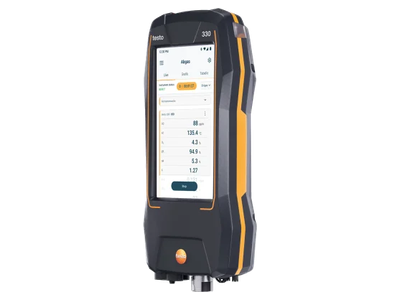
Flue gas analysers testo 330 (0633 3300) and testo 320 (0633 3200). Both run the same software and offer the same interfaces.
Not the older models
This page is about the current instruments with the part numbers above. The older testo 330-1/-2 LL and testo 330i used other apps and interfaces.
How to get measurements from the instrument
| Interface | What your software receives | Typical use | Status |
|---|---|---|---|
| QR code | one or more measurements as JSON, gzip-compressed in a binary QR code; in DE, AT, CZ and SK alternatively the ZIV code as plain text | trade and service apps on phone or tablet: scan the display, no pairing | available |
| Bluetooth LE | the same JSON as the QR code, read over GATT | apps that read the data without scanning, also for measurements too large for a QR code | available; pairing required from instrument software 34.0; from 2027 also authorisation of your app through the testo Cloud |
| testo Smart | the same JSON via App to App or as exported file | the measurement is also synchronised to testo Smart on the phone; testo Smart offers more, see below | available |
| Wi-Fi / local network | — | — | not offered |
All interfaces deliver the same JSON format as the JSON export of testo Smart (except the ZIV code). Support it
once and use it on every channel. Each document names its schema in $schema. Field description and examples:
QR code › Data format.
QR code and Bluetooth carry the measurement data only: no photos, chart images or reports. For PDF reports, photos and charts use testo Smart: it takes over the measurement from the instrument and can also export it, e.g. as PDF, CSV or JSON.
Which interface should I use?
- Your app runs on a phone or tablet with a camera: start with the QR code. It needs no pairing, no permissions besides the camera and works offline.
- You do not want the user to scan, or the measurement is large: use Bluetooth LE.
- Your customers already use testo Smart: use App to App or the JSON export. testo Smart offers more than the instrument alone: Wi-Fi connection to the instrument, PDF and CSV reports, photos with the measurement and transfer to testo DataControl.
- You support the testo 300 today: read Migrating from testo 300. The QR code looks the same, but the JSON inside differs.
Identifying the instrument
| testo 330 | testo 320 | |
|---|---|---|
Part number (device[].partNumber) |
0633 3300 | 0633 3200 |
device[].name |
testo 330 | testo 320 |
| Bluetooth name | T330_<serial> |
T320_<serial> |
Security and planned changes
testo is extending the security of the instrument interfaces step by step. Changes are announced on these pages in advance.
Bluetooth today: from instrument software version 34.0 your device must be paired with the instrument. The instrument uses LE Secure Connections with numeric comparison: the user confirms the same six-digit number on both devices. This protects the pairing against man-in-the-middle attacks, and the connection is encrypted. Details: Bluetooth LE › Connect and pair.
Bluetooth from 2027: authorisation through the testo Cloud
From 2027 the instrument releases data over Bluetooth only to apps that have authenticated with the testo Cloud. Your app will have to be registered with testo. Details: Bluetooth LE › Planned changes.
Keep the connect and read logic of your integration separate so an additional authorisation step can be added.
Contact
testo App Instrumentation team: appsupport@testo.de